Rust + GPUI · open source · MIT

Your world,
mapped.
Chunk by chunk.

A fast, native rewrite of MCA Selector in Rust + GPUI. Open any Minecraft save, see every dimension rendered Xaero-style, select the chunks that matter, and export them into a standalone world.
Anvil 1.18+every dimension Headlessmc-core has no GUI deps Read-onlyyour world is never touched
File  Edit  Selection  View  Tools  Help
Minecraft overworld rendered by mca-selector-rs — forest and mountain range
Block -1024, -3584 Chunk -64, -224 Region r.-2.-7.mca Selected 1,472 Zoom 16 px/c
Capabilities

Everything the original did.
Rebuild the fast way.

A faithful port of the MCA Selector workflow — native GPU-rendered map, precise selection tools, safe exports — running on Rayon, memmap2 and Zed's GPUI.

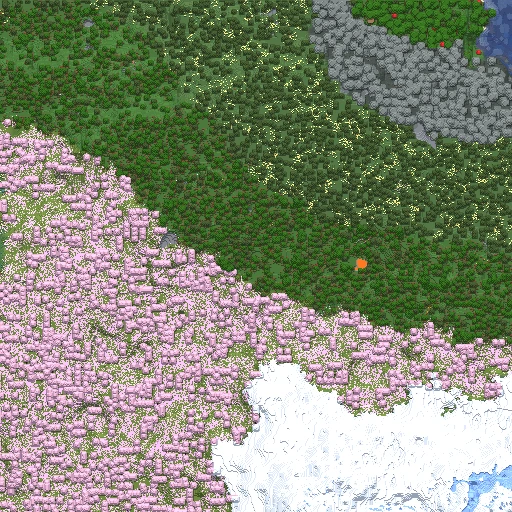
Cherry grove biome rendered at chunk resolution

Xaero-style rendering, natively

Every chunk drawn from its real top-block colors with water-depth blending and north-west height shading — the map reads like the world feels, from region zoom down to a single block.

RENDERER — mc-core/render.rs · no GPU required for tiles

Opens real saves, all dimensions

Point it at a world folder — classic layout or modern dimensions/ — and browse the Overworld, Nether and End. Modern Anvil, 1.18+, current snapshot palettes.

LOADER — McaFile · zlib / LZ4 · mmap + rayon

Select like an editor

Drag a rectangle over the map. Ctrl adds chunks, Alt carves them back out. Live counts in the status bar, always.

SELECTION — drag · Ctrl add · Alt subtract
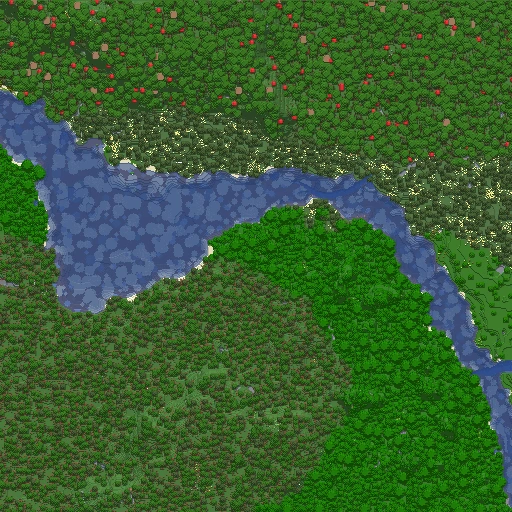
River winding through a dark forest, rendered by mca-selector-rs

Export a standalone world

Lift a selection into its own save — region/*.mca plus level.dat — ready to open in the app or paste straight into a real world. The source is only ever read.

EXPORT — MCA_EXPORT_DIR sets the default target

Buttery navigation

Middle- or right-drag to pan, scroll to zoom at the cursor. Tiles stream in on background threads as you move.

Can't corrupt your save

The open world is strictly read-only. Writes only ever land in the export folder you choose in the dialog.

Dark chrome, real status bar

Menu bar, toolbar and a live status strip: block, chunk and region coordinates, selection count and zoom level.

Rendered by the app

Real regions, real output.

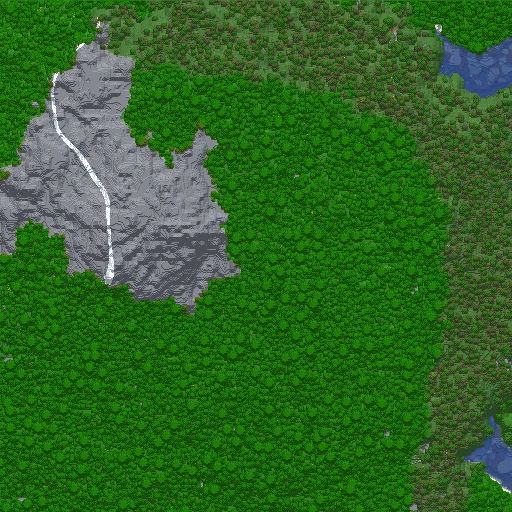
Every tile on this page was produced by mc-core's own renderer from actual save data — not a mockup.

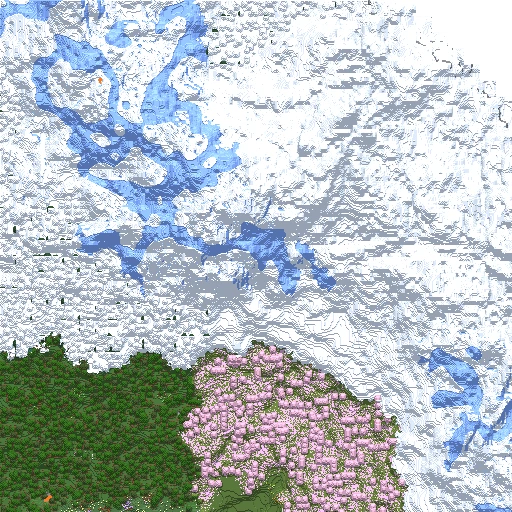
Cherry blossom biome meeting snow, rendered top-down r.7.12.mca · cherry grove
Snowy mountain peaks and a frozen river r.10.-12.mca · frozen peaks
A river winding through dark oak forest r.0.-7.mca · dark forest

512×512 per region · top-block palette · water-depth blending · NW height shading

Get running

Three commands
to a map.

Rust 1.75+ and the standard Linux GUI libraries. Software rendering works fine — lavapipe included.

1

Install system deps

XCB, xkbcommon, Wayland, fontconfig, freetype and Vulkan drivers via your package manager.

2

Build the workspace

cargo build --release — LTO and single codegen unit are already configured.

3

Open a world

Pass any save folder: mca-selector ~/.minecraft/saves/MyWorld. Set MCA_EXPORT_DIR for a default export target.

~/Projects/mca-selector-rs — zsh
# system dependencies (Debian/Ubuntu) $ sudo apt install libxcb1-dev libxkbcommon-dev \ libxkbcommon-x11-dev libwayland-dev \ libfontconfig-dev libfreetype-dev mesa-vulkan-drivers # clone & build $ git clone https://github.com/Coobyk/mca-selector-rs $ cd mca-selector-rs && cargo build --release # open your world $ ./target/release/mca-selector ~/.minecraft/saves/MyWorld ✰ 2,048 chunks loaded · overworld · ready
Status & roadmap

Working today.
Growing tomorrow.

World opening — classic and dimensions/ layouts
Map viewing, pan & zoom, all dimensions
Chunk selection & standalone-world export
Adjustable render threads & real cross-region shading
Import chunks into other worlds
NBT inspection
Go-to coordinates
Biome-aware grass tints & editable path field